Hello
I have managed to have a caddy working as a reverse proxy through a cloudflare tunnel.
I have two reverse proxies.
client → https (bha.xxx.com via cloudflare tunnel) → caddy → http → application 1.
client → https ->(bvw.xxx.com via cloudflare tunnel) → caddy → https → application 2.
Everything works fine so I decided to add one more layer of security, Coraza and when it works I will add Crowdsec.
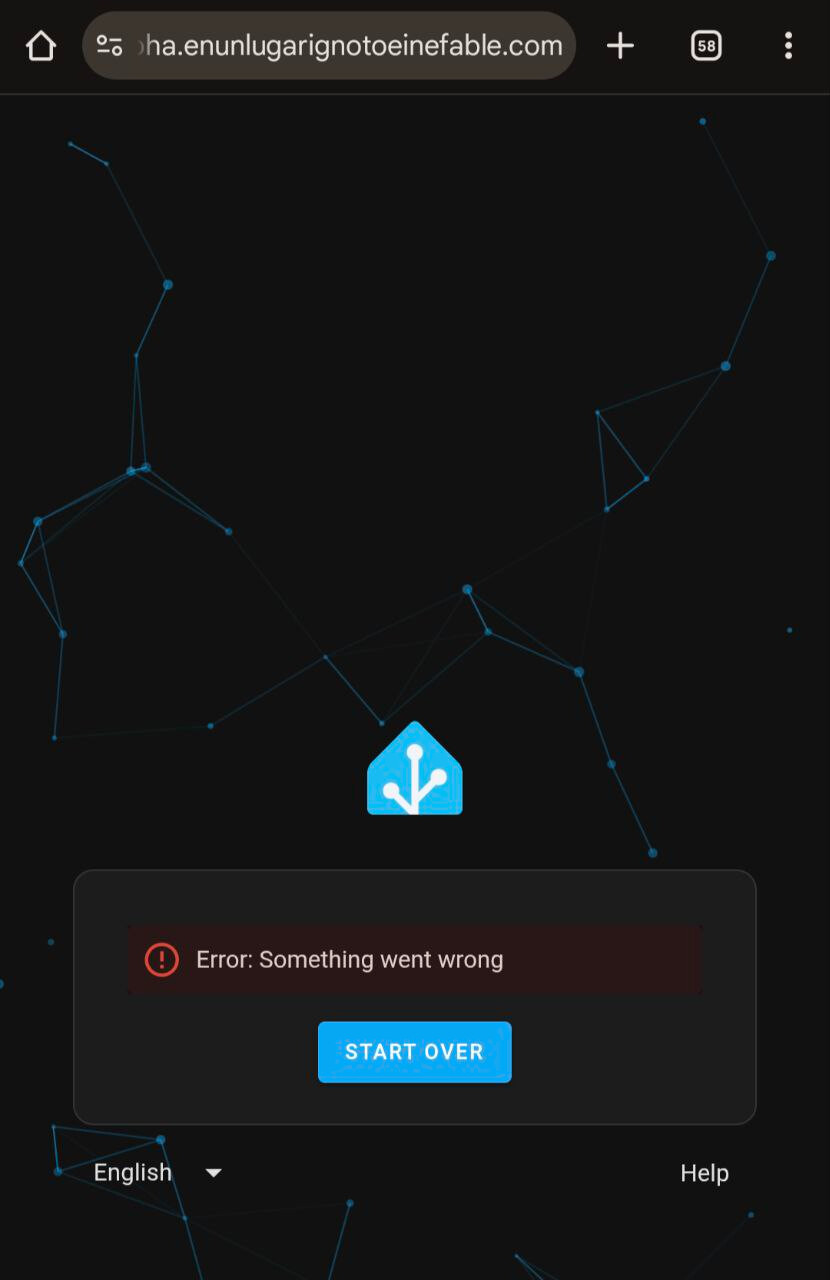
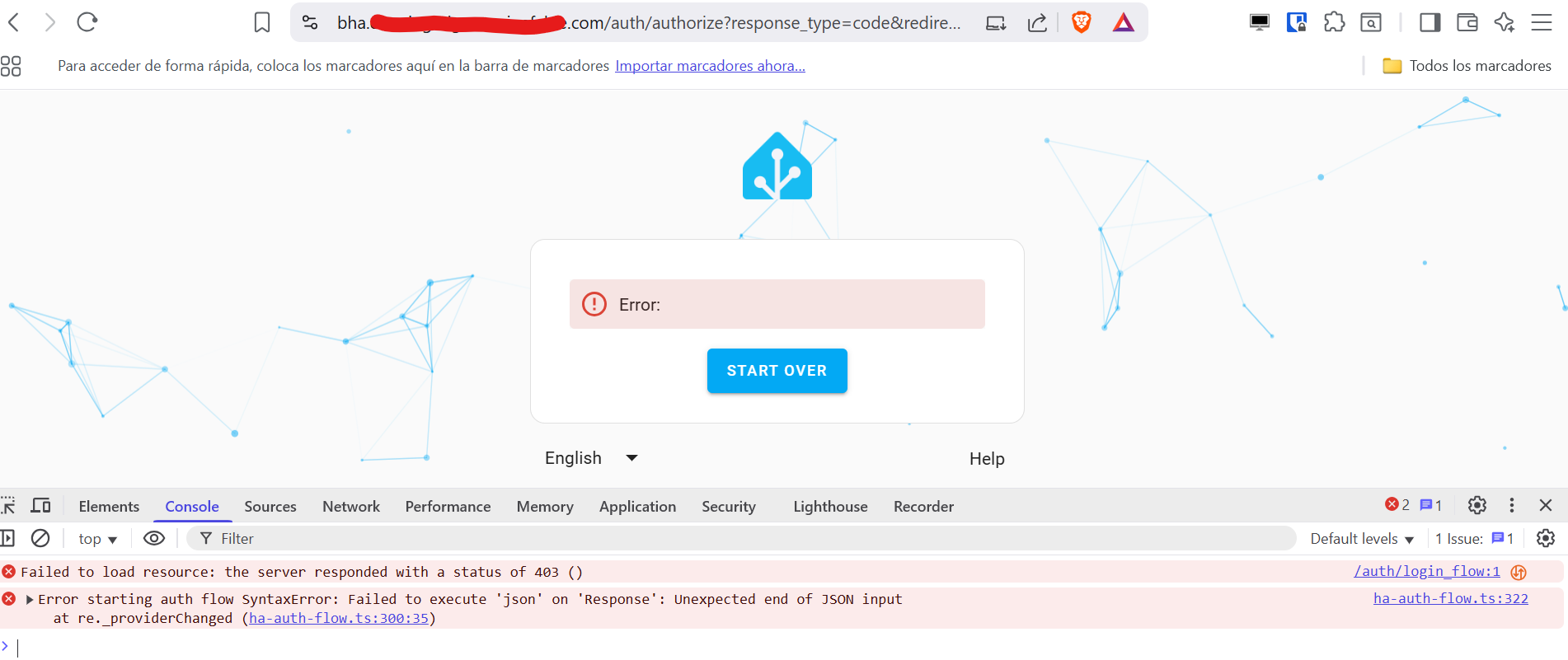
Since I’ve enabled Coraza I can access to application 2 but coraza cuts off access to application 1
I have the same configuration in both cloudflare tunnels.
FROM caddy:2.10.0-builder AS builder

RUN xcaddy build \\
–with github.com/corazawaf/coraza-caddy/v2@latest \\
–with github.com/hslatman/caddy-crowdsec-bouncer/http@main \\
–with github.com/hslatman/caddy-crowdsec-bouncer/appsec@main \\
–with github.com/hslatman/caddy-crowdsec-bouncer/layer4@main \\
–with github.com/WeidiDeng/caddy-cloudflare-ip \\
–with github.com/mholt/caddy-dynamicdns \\
–with github.com/caddy-dns/cloudflare \\
–with github.com/caddy-dns/duckdns

FROM caddy:2.10.0

COPY --from=builder /usr/bin/caddy /usr/bin/caddy
a. System environment:
b. Command:
sudo docker compose up --build in order to see the output log
.
c. Service/unit/compose file:
`services:

  caddy:

    build:

       context: .

       dockerfile: Dockerfile

    container_name: caddy

    restart: unless-stopped

    cap_add:

      - NET_ADMIN

    environment:

      - CLOUDFLARE_API_TOKEN=$CLOUDFLARE_API_TOKEN

      - DUCKDNS_API_TOKEN=$DUCKDNS_API_TOKEN

    ports:

      - 80:80

      - 443:443

#      - 443:443/udp

      - 8123:8123

      - 8443:8443

      - 4080:4080

    volumes:

      - $DOCKERDIR/caddy/log:/var/log

      - $DOCKERDIR/caddy/ruleset:/ruleset

      - $DOCKERDIR/caddy/Caddyfile:/etc/caddy/Caddyfile

      - $DOCKERDIR/caddy/data:/data

      - $DOCKERDIR/caddy/config:/config

      - $DOCKERDIR/certs/:/config/rlyeh

# Aquí irían las webs si siquiera meterlas o las configuraciones específicas para cada URL, como reglas personalizadas CRS

#      - $DOCKERDIR/caddy/site:/srv

    networks:

      crowdsec:

    security_opt:

      - no-new-privileges=true


  crowdsec:

   image: docker.io/crowdsecurity/crowdsec:latest

   container_name: crowdsec

   restart: unless-stopped

   environment:

     - GID=1000

     - COLLECTIONS=crowdsecurity/caddy crowdsecurity/http-cve  crowdsecurity/base-http-scenarios crowdsecurity/appsec-generic-

rules crowdsecurity/linux crowdsecurity/sshd crowdsecurity/whitelist-good-actors crowdsecurity/iptables

     - BOUNCER_KEY_CADDY=${CROWDSEC_API_KEY}

   ports:

     - 8080:8080

     - 7422:7422

   volumes:

     - $DOCKERDIR/caddy/crowdsec_config:/etc/crowdsec

     - crowdsec_db:/var/lib/crowdsec/data/

     - $DOCKERDIR/caddy/log:/var/log/caddy:ro

   networks:

     crowdsec:

   security_opt:

     - no-new-privileges=true

volumes:

  crowdsec_db:


networks:

  crowdsec:

    driver: bridge ``

```

PASTE OVER THIS, BETWEEN THE ``` LINES.
Please use the preview pane to ensure it looks nice.
d. My complete Caddy config:
{

#Token de la API Cloudflare que usa el módulo para la gestión ACME de Cloudflare

  acme_dns cloudflare {env.CLOUDFLARE_API_TOKEN}

#Configuración para el módulo de aceptar solo el tráfico proveniente del rango de IPs de cloudflare
  servers {
    trusted_proxies cloudflare {
      interval 12h
      timeout 15s
    }
  }

# Definición de duckdns como proveedor DNS par el módulo "caddy-dns/duckdns". Ver documento sobre porque está comentado.
#  dns duckdns {env.DUCKDNS_API_TOKEN}

#Configuración para el módulo de gestión de duckdns
  dynamic_dns {
       provider duckdns {env.DUCKDNS_API_TOKEN}
       domains {
             duckdns.org xxyy
       }
  }


#Configuración para el módulo de gestión de duckdns
  dynamic_dns {
       provider duckdns {env.DUCKDNS_API_TOKEN}
       domains {
             duckdns.org sar1978
       }
  }

#Mail para recibir los avisos de la gestión de certificados con  ACME

  email xxx.com

# Ponemos el log de debug (crowsec usa los log para detectar anomalías)
  log {
   level DEBUG
  }

#Habilitamos coraza
    order coraza_waf first
}

#Fin de la zona de configuración global

#Esta es la zona de definición de sites


#Configuración de reserve proxy (esto incluye la configuración para la inspección de coraza)


#Home Assistant

https://bha.xxx.com {
        coraza_waf {
                load_owasp_crs
                directives `
                   Include @coraza.conf-recommended
                   Include @crs-setup.conf.example
                   Include @owasp_crs/*.conf
                   SecRuleEngine On
                `
         }
         reverse_proxy http://192.168.8.22:8123 {
         header_up X-Real-IP {remote_host}
         }
         log {
           output file /var/log/caddy/homeassistant.log
             }
}


#VaultWarden

https://bvw.xxx.com {
tls {
  dns cloudflare {env.CLOUDFLARE_API_TOKEN}
  resolvers 1.1.1.1
  propagation_timeout 10m
}

        coraza_waf {
                load_owasp_crs
                directives `
                   Include @coraza.conf-recommended
                   Include @crs-setup.conf.example
                   Include @owasp_crs/*.conf
                   SecRuleEngine On
                `
          }
          reverse_proxy https://192.168.8.20:8443 {
#Esta directiva la he puesto por recomendación del creador de Vaultwarden.
                header_up X-Real-IP {remote_host}
                transport http {
                        tls_trust_pool file /config/rlyeh/rlyeh-ca.pem
#                       tls_insecure_skip_verify
                }
          }
                log {
                output file /var/log/caddy/vaultwarden.log
                }
}
The problem persists, which makes sense because I was actually testing without knowing what I was doing
I can’t find any log where I can find more precise information about the reason why Coraza blocks the connection.
Could you help me find where to look?
Thank you so much
Edit:
I’ve created an audit log including this 2 directives
coraza_waf {
            load_owasp_crs
            directives `
               Include @coraza.conf-recommended
               Include @crs-setup.conf.example
               Include @owasp_crs/*.conf
               SecAuditLog "/var/log/caddy/audit.log"
               SecAuditLogParts ABCFHZ
               SecRuleEngine On
            `
     }
The log info is very scarce, it does not include, for example, the rule applied or the reason.
I don’t think the issue now in Coraza. The request is clearly passed to the backend service, Home Automation. I think Home Automation doesn’t like something, and some requests are failing. Open the browser console/devtools (press F12) and look for failures or errors in the Console and Network tab.