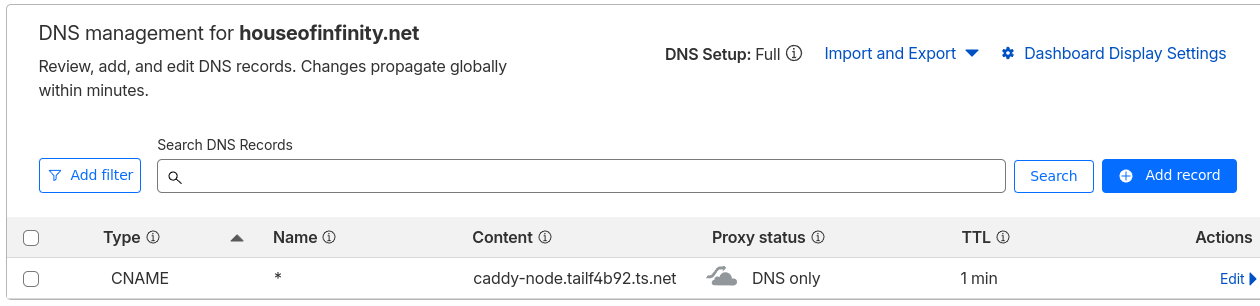
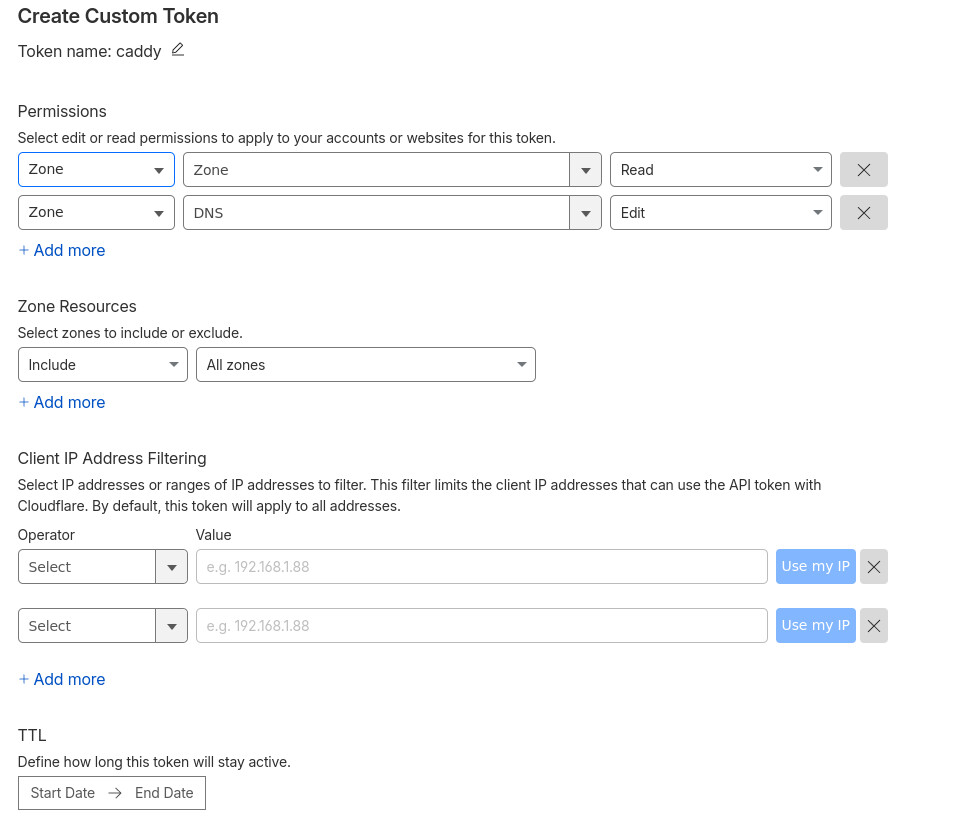
Hello, new here but thanks for your help in advance
1. The problem I’m having:
I’m trying to setup caddy as a reverse proxy, via tailscale network with cloudflare CNAME redirection. But I’m having problems getting Caddy to accept my token to generate SSL certificate.
Following the steps at https://www.youtube.com/watch?v=Vt4PDUXB_fg,
2. Error messages and/or full log output:
Redacted part of the Cloudflare token. In the video the token did not have the cftu_ prefix. But this is what cloudflare is giving now, and full token was validate with curl for Zones and DNS
caddy      | {"level":"info","ts":1774076881.271653,"msg":"maxprocs: Leaving GOMAXPROCS=2: CPU quota undefined"}
caddy      | {"level":"info","ts":1774076881.271817,"msg":"GOMEMLIMIT is updated","package":"github.com/KimMachineGun/automemlimit/memlimit","GOMEMLIMIT":30076316467,"previous":9223372036854775807}
caddy      | {"level":"info","ts":1774076881.2726083,"msg":"using config from file","file":"/etc/caddy/Caddyfile"}
caddy      | {"level":"info","ts":1774076881.2738512,"msg":"adapted config to JSON","adapter":"caddyfile"}
caddy      | {"level":"warn","ts":1774076881.2739635,"msg":"Caddyfile input is not formatted; run 'caddy fmt --overwrite' to fix inconsistencies","adapter":"caddyfile","file":"/etc/caddy/Caddyfile","line":1}
caddy      | {"level":"info","ts":1774076881.2749794,"logger":"admin","msg":"admin endpoint started","address":"localhost:2019","enforce_origin":false,"origins":["//localhost:2019","//[::1]:2019","//127.0.0.1:2019"]}
caddy      | {"level":"info","ts":1774076881.2753055,"logger":"tls.cache.maintenance","msg":"started background certificate maintenance","cache":"0xc000015300"}
caddy      | {"level":"info","ts":1774076881.275449,"logger":"tls.cache.maintenance","msg":"stopped background certificate maintenance","cache":"0xc000015300"}
caddy      | {"level":"info","ts":1774076881.2755399,"logger":"http","msg":"servers shutting down with eternal grace period"}
caddy      | {"level":"info","ts":1774076881.2756388,"msg":"maxprocs: No GOMAXPROCS change to reset"}
caddy      | Error: loading initial config: loading new config: loading http app module: provision http: getting tls app: loading tls app module: provision tls: provisioning automation policy 0: loading TLS automation management module: position 0: loading module 'acme': provision tls.issuance.acme: loading DNS provider module: loading module 'cloudflare': provision dns.providers.cloudflare: API token 'cfut_1bgW...0c' appears invalid; ensure it's correctly entered and not wrapped in braces nor quotes
3. Caddy version:
can’t get the version as the container closes out because of invalid token message
4. How I installed and ran Caddy:
dockerfile:
FROM caddy:builder AS builder

–mount=type=cache,target=/go/pkg/mod #    --mount=type=cache,target=/root/.cache/go-build \RUN xcaddy build \    --with     --with  #    --with github.com/hairyhenderson/caddy-teapot-module@v0.0.3-0

FROM caddy:latestCOPY --from=builder /usr/bin/caddy /usr/bin/caddy
a. System environment:
Docker with Tailscale and Caddy
b. Command/Dockercompose:
services:
  tailscale:
    image: tailscale/tailscale:latest
    container_name: tailscale
    hostname: caddy-node
    restart: unless-stopped
    cap_add:
      - NET_ADMIN
      - SYS_MODULE
    volumes:
      - tailscale_state:/var/lib/tailscale
      - /dev/net/tun:/dev/net/tun
    environment:
      - TS_AUTHKEY=${TS_AUTHKEY}
      - TS_STATE_DIR=/var/lib/tailscale
      - TS_PERMIT_CERT_UID=0
    network_mode: host
  caddy:
    image: ghcr.io/caddy-dns/cloudflare:latest
    container_name: caddy
    cap_add:
      - NET_ADMIN
    ports:
      - 80:80
      - 443:443
    volumes:
      - /mnt/homelab/dockercompose/caddy/Caddyfile:/etc/caddy/Caddyfile
      - caddy_data:/data
      - caddy_config:/config
      - /var/run/tailscale:/var/run/tailscale:ro
    environment:
      - CF_API_TOKEN=cfut_1bgW....820c
    depends_on:
      - tailscale
    networks:
      - proxy
volumes:
  caddy_data: null
  caddy_config: null
  tailscale_state: null
networks:
  proxy:
    driver: bridge
d. My complete Caddy config:
setup works with tls internal (commented out), but fails for cloudflare
(cloudflare) {
  tls {
    dns cloudflare {env.CF_API_TOKEN}
  }
}

# immich
photos.houseofinfinity.net {
  reverse_proxy 192.168.100.40:2283
  import cloudflare
  #tls internal
}
5. Links to relevant resources:
Possibly similar issue to Caddy & Tailscale & Cloudflare, Oh my! (certificate issue)